STEP 1 · ESTABLISH THE INFRASTRUCTURE
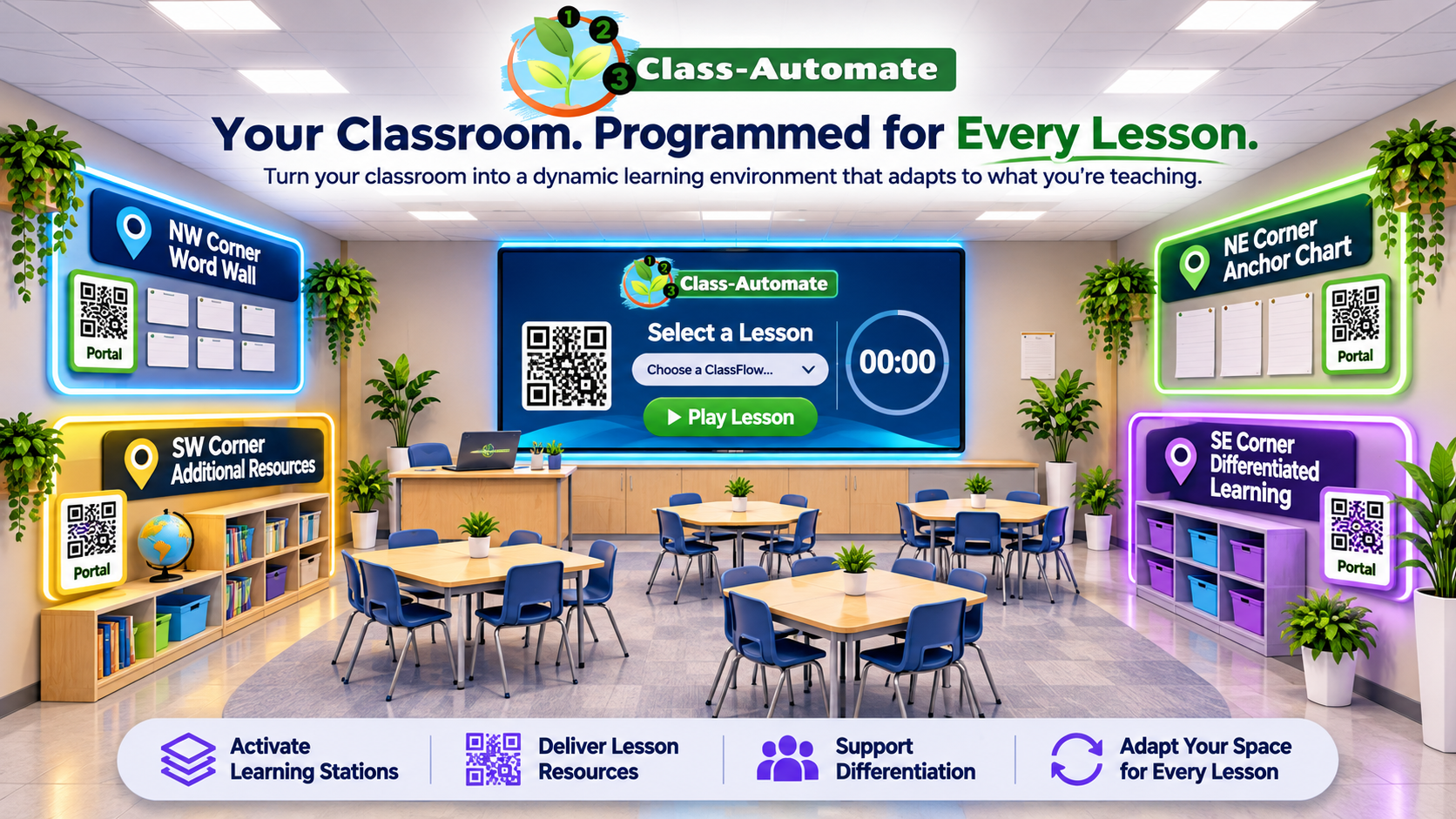
Place reusable QR portals at the Word Wall, Anchor Chart, Resource Center, Differentiated Learning station, etc. Your physical classroom stays familiar while its digital resources remain configurable.
by SUPA EdTech
Programmable Classroom Infrastructure
Class-Automate is classroom infrastructure software that helps teachers automate instructional workflows and coordinate learning environments through customizable ClassFlows and reusable QR portals.
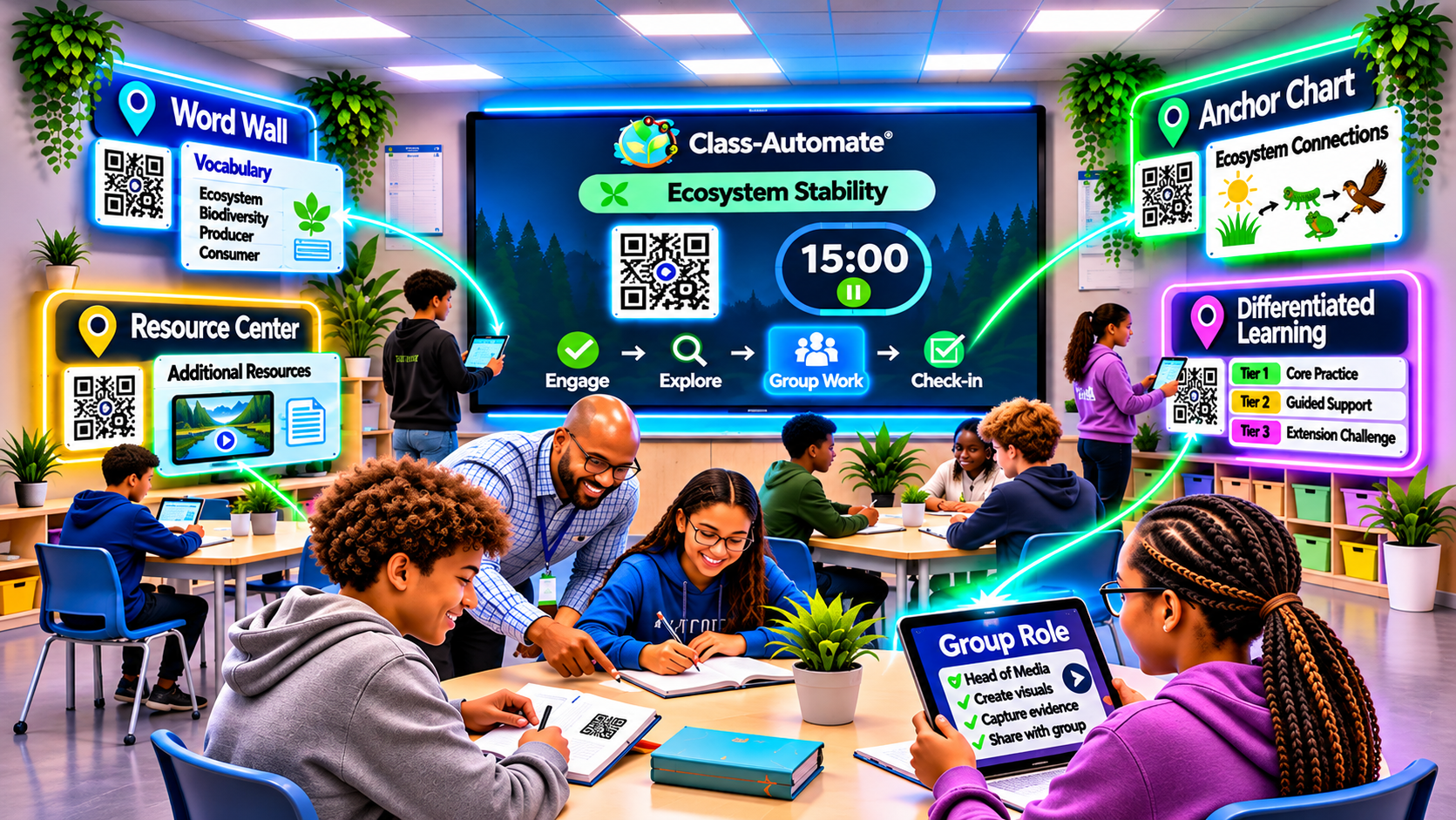
Each lesson automatically reconfigures your classroom upon activation, connecting the Main Display Portal and Supporting QR Portals to lesson-specific instructions, resources, and differentiated learning activities.
Upload your existing lesson plans to Class-Automate and let AI transform them into complete instructional workflows that organize classroom activities, resources, and differentiated learning pathways.
Place QR portals anywhere—from desktops and student notebooks to permanent classroom locations—and connect them to lesson-specific resources, learning stations, and instructional routines through customizable, automated ClassFlows.
Use AI or build your workflow manually, then press Play to activate your lesson-ready learning environment.
Your classroom should work for you. With Class-Automate, it can!
The Class-Automate Difference
STEP 1 · ESTABLISH THE INFRASTRUCTURE
Place reusable QR portals at the Word Wall, Anchor Chart, Resource Center, Differentiated Learning station, etc. Your physical classroom stays familiar while its digital resources remain configurable.
STEP 2 · ACTIVATE THE LESSON
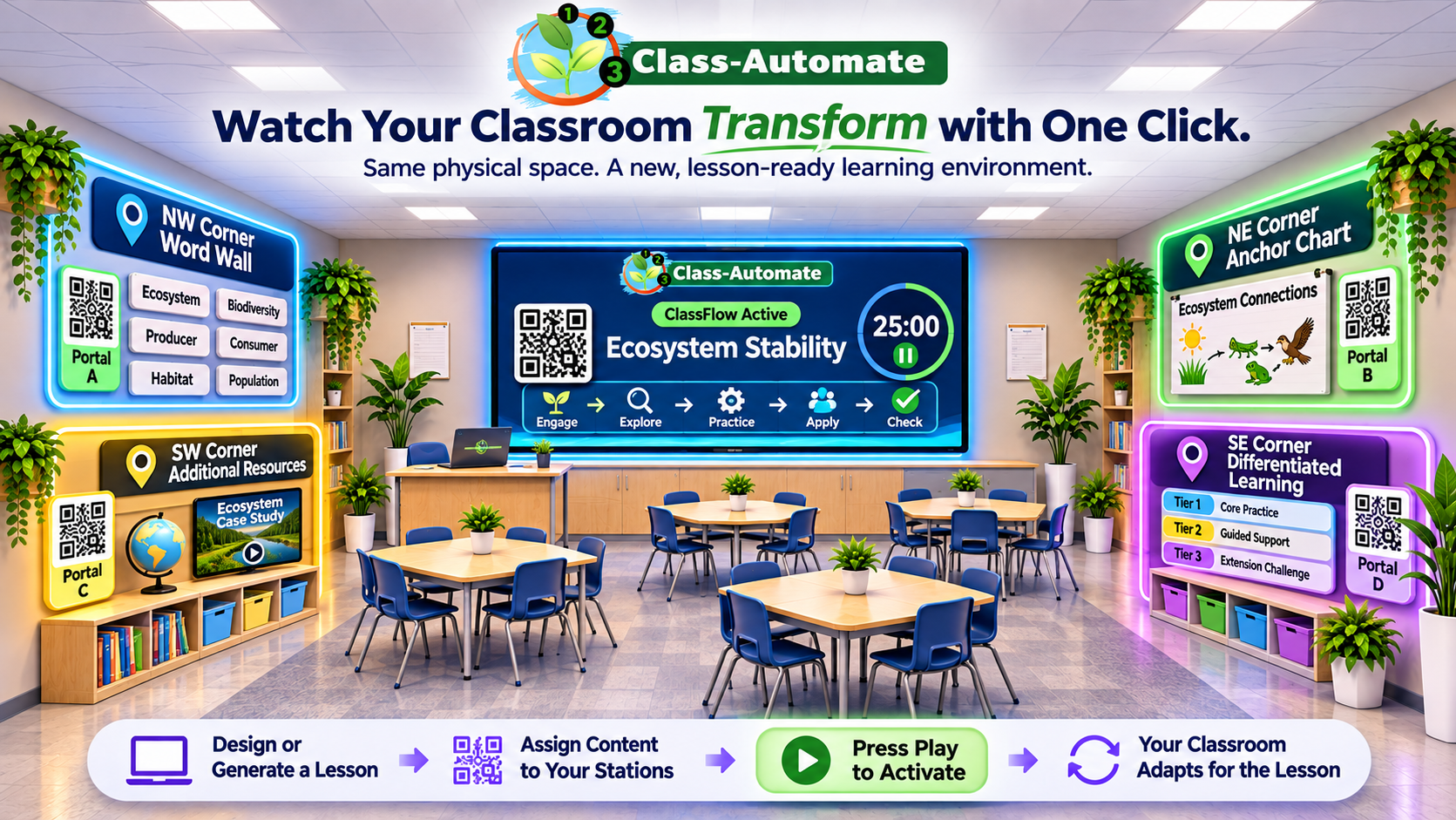
Select a saved ClassFlow and press Play. The classroom display runs the lesson, while fixed QR portals provide the lesson-associated content assigned to each station. No need to replace the physical QR labels.
STEP 3 · SUPPORT INSTRUCTION
Students scan stations for directions and resources, contribute through assigned group roles, and move through the learning activities while the teacher provides targeted support.
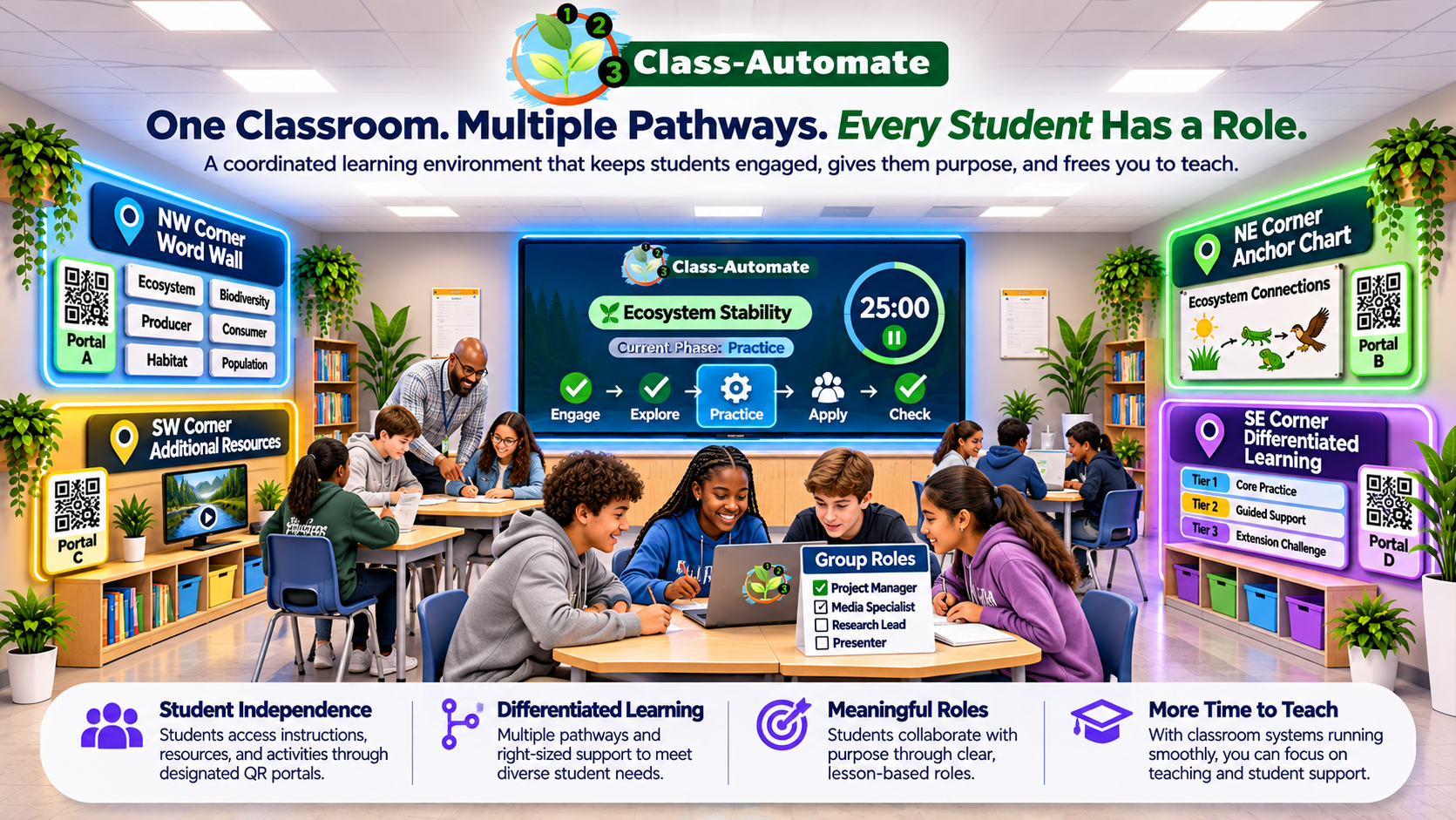
Conceptual illustrations of a teacher-configured classroom. QR portals keep their physical locations; their assigned content changes when a different saved ClassFlow is launched.
How Class-Automate Works
See how Class-Automate empowers teachers to coordinate instruction through the Main Display Portal, while students access lesson-specific activities, resources, and differentiated learning through Supporting QR Portals.
Current Phase
Students enter with a clear task.
Now Showing
Today’s Task
Respond to the opening prompt.
Platform Capabilities
Create timed instructional workflows manually or with AI assistance.
Run lesson phases, timers, and transitions from one teacher-controlled workflow.
Connect classroom spaces to lesson-specific directions, resources, and activities.
Assign group roles, activities, and resources based on instructional needs.
Give students access to lesson tasks, directions, and success criteria.
Collect student work, review responses, and provide feedback throughout a lesson.
AI Lesson Builder
Upload an existing lesson plan and let AI propose an editable ClassFlow—or build one yourself. You're always in control.
START WITH YOUR OWN MATERIALS
Upload a PDF or Word lesson plan, or supply a supported document link. Add student resources and instructions for how you want the lesson organized.
AI-ASSISTED CLASSFLOW CREATION
AI proposes a sequence of classroom phases, timing, activities, and tasks. Review and adjust the generated structure before you use it.
REVIEW • CUSTOMIZE • LAUNCH
Fine-tune your phases, add resources, and launch a coordinated experience across the teacher, classroom display, and student views.
Illustrative walkthrough — not a live upload or AI generation session.
Frequently Asked Questions
Learn how Class-Automate helps teachers coordinate instruction and create adaptable learning environments.
Class-Automate is classroom infrastructure software that helps teachers automate instructional workflows and coordinate learning environments through customizable ClassFlows and reusable QR portals. Each lesson reconfigures the classroom's digital instructional environment when activated by the teacher.
Teachers create a ClassFlow manually or with AI assistance, assign instructional activities and resources, and press Play to activate the lesson. The Main Display Portal presents the current instructional phase while students scan QR codes to access lesson-specific tasks and resources.
No. Teachers can build ClassFlows manually or use optional AI assistance to convert existing lesson plans into editable instructional workflows. Teachers remain in control of lesson structure, timing, and classroom activities.
No. Supporting QR Portals can remain in permanent classroom locations, including Word Walls, Anchor Charts, Resource Centers, and Differentiated Learning stations. Their assigned resources change when the teacher activates a different saved ClassFlow.
Yes. Teachers can assign differentiated group roles, learning activities, and instructional resources based on student needs. These activities can be accessed through classroom QR portals, allowing students to contribute to collaborative learning experiences.
Why we built it
We built software because classrooms needed better systems.
Technology is simply how those systems become visible. SUPA EdTech helps schools design learning environments that are clear, consistent, engaging, and easier for students to participate in and achieve.
Beyond the Technology
What if the biggest influence on your classroom isn't what you teach—but the experience students associate with being there?
The Classroom Brand is a framework for intentionally designing that experience—and understanding how the classroom you create shapes everything that happens inside it.
The Classroom Brand Framework
(student perception = learning outcomes)
Brands aren’t logos. Brands are perceptions.
Students form perceptions about your classroom every single day.
Those perceptions become expectations. Those expectations become behaviors. Those behaviors influence learning outcomes.
Classroom Brand Consulting
Classroom Brand Consulting helps schools understand how students experience learning by analyzing student perception across four critical areas, then building customized improvement plans that increase engagement, strengthen classroom systems, and improve learning outcomes.
How students experience trust, connection, and support.
How students experience clarity, challenge, and engagement.
How students experience routines, flow, and classroom organization.
How students experience fairness, consistency, and accountability.
Because when the classroom experience improves, student behavior and learning outcomes improve too.
Start improving classrooms today
School Leader?